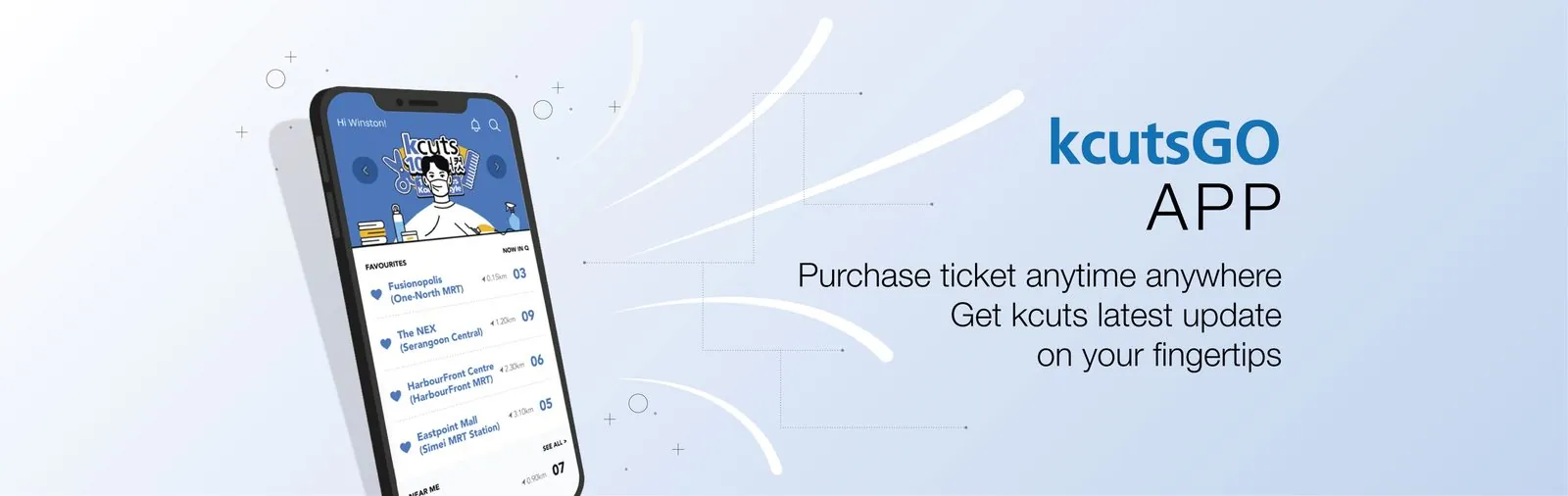


kcutsGO app on a phone: purchase your ticket anytime, anywhere and get the latest kcuts updates at your fingertips
Download on the App Store Get it on Google Play
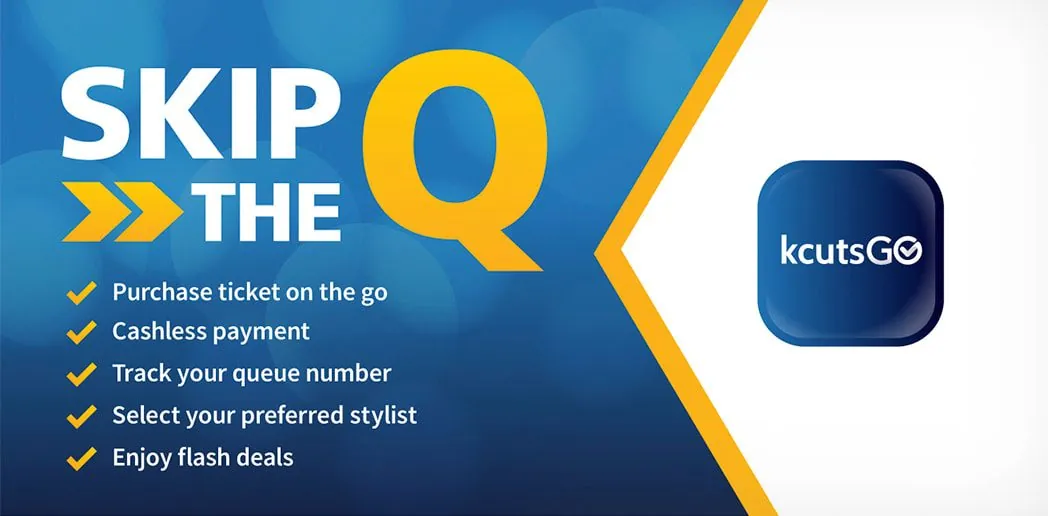
Skip the Q with kcutsGO: purchase ticket on the go, cashless payment, track your queue number, select your preferred stylist, enjoy flash deals

Skip The Queue With kcutsGO App Today

A look inside

Everything in one app

From joining the queue to picking your outlet and tracking your tickets, kcutsGO keeps your whole visit on your phone.
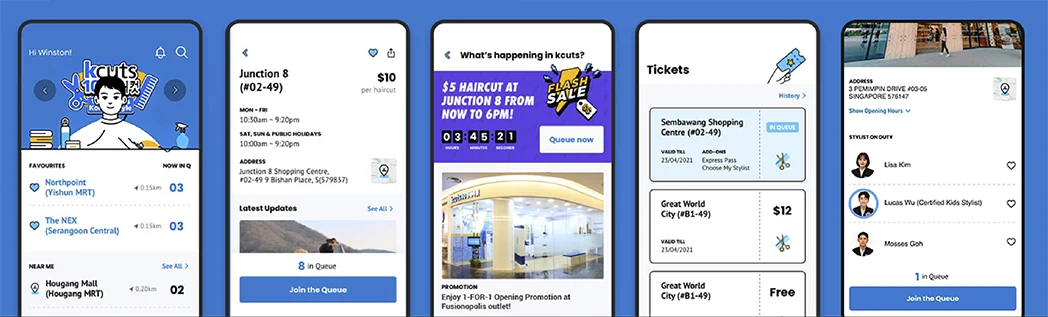
kcutsGO app screens: home queue view, outlet details, live promotions, your tickets and stylists on duty
Where to use it

Available at kcuts outlets islandwide

kcutsGO works at kcuts outlets across Singapore. Outlets marked in gold also run our Loyalty Card Promotion.

Gold marker = Loyalty Card Promotion outlet Find your nearest outlet
Show all kcutsGO outlets
  • 18 Tai Seng
  • AMK Hub
  • Anchorvale Village
  • Aperia Mall
  • Bedok Mall
  • Bukit Batok MRT
  • Bukit Batok West 440
  • Bukit Panjang Bus Interchange
  • Bukit Panjang Plaza
  • Canberra Blk 105
  • Canberra MRT
  • Causeway Point
  • CCK Lot 1
  • Century Square
  • Changi City Point
  • Chinatown Point
  • Choa Chu Kang Blk 818
  • Clementi Mall
  • Coronation Plaza
  • Downtown East
  • Eastpoint Mall
  • Fernvale Link (Blk 417)
  • Fusionopolis
  • Great World
  • Greenwich V
  • HarbourFront Centre
  • Heartland Mall
  • Hillion Mall
  • HillV2
  • Holland Village MRT
  • Hougang Mall
  • i12 Katong
  • Jelita Mall
  • Junction 10
  • Junction 8
  • Jurong Point
  • Jurong West (Blk 961)
  • Kallang Wave Mall
  • KINEX
  • Le Quest
  • Limbang Shopping Centre
  • Marina Bay Link Mall
  • Marsiling Mall
  • NEX Shopping Mall
  • Northpoint City
  • Northshore
  • Novena Square
  • Novena Velocity
  • NUH Medical Centre
  • Oasis
  • Our Tampines Hub
  • Parc Point
  • Pasir Ris Sports Centre
  • Paya Lebar Quarter
  • Plantation Plaza
  • Punggol Coast Mall
  • Punggol Plaza
  • Raffles Place MRT
  • Rivervale Mall
  • Sembawang Shopping Centre
  • Sengkang Grand Mall
  • Sengkang Sports Centre
  • Sengkang Square
  • Shaw Plaza
  • SingPost Centre
  • Suntec City
  • Tampines MRT
  • Tampines One
  • Tanglin Mall
  • The Seletar Mall
  • Tiong Bahru Plaza
  • Toa Payoh SAFRA
  • United Square
  • Valley Point
  • Waterway Point
  • Westgate
  • White Sands
  • Wisteria Mall
  • Woodlands MRT (TEL)
  • Woodleigh Mall
  • Yew Tee Point
  • Yishun Ave 4 (Blk 675)
kcutsGO FAQ

The app, explained

Getting started & payment

We hear you and want to serve you better. We believe queuing for a haircut should be hassle-free. With kcutsGO you can run errands while you wait, still keep an eye on your live queue status and time your arrival for your turn, so you have more time for the things that matter.
Your card details are not stored by kcuts. We work with an established international payment gateway that keeps your data to the highest level of security. Prefer not to enter card details? PayNow is available as an alternative.
As part of our payment gateway's security check, a small amount is held as a test transaction to confirm your card is linked correctly. This amount is refunded back to you in full, and the refund will show in your card statement.
Selected outlets accept cash through a self-payment kiosk. Please prepare the exact amount, as no change is given. Do note that cash payments are not eligible for kcutsGO app promotions and benefits, which are reserved for cashless purchases. For the smoothest experience, we recommend the app.
Yes. kcutsGO is designed for you and your family. Choose your outlet, tap Join the Queue, then add extra tickets before you pay. When paying by PayNow, a unique QR code is generated for each transaction. That code can only be scanned once for a single payment, and a fresh code is created automatically for your next purchase.
Take a photo of your queue ticket number and a screenshot of both transactions, then email feedback@k-cuts.com. Our team will assist you from there.

Your queue & tickets

After you buy your ticket, your queue number appears in the app's live monitoring system. You can see how many customers are ahead of you from the kcutsGO home page and plan your visit around it.
Yes. Tap the Express Pass option to be served at the next available slot. Express tickets are strictly limited to keep the normal queue fair and moving, and a small add-on fee applies.
Tap Leave Queue to keep your ticket in your in-app wallet. It stays valid for 30 days for your next visit. A small service fee applies, and no refund is given for unused or expired tickets.
Open the app and tap your missed ticket to rejoin the queue automatically. If others are waiting, you will wait for two customers to be served before rejoining. Please be at the outlet before tapping your missed ticket, and wait patiently as numbers may not be called in order. A ticket can be re-queued up to two times, after which it is forfeited.
Yes. A QR code is issued for the ticket. Screenshot it and pass it to your child. Our stylists call your queue number and scan the code to verify when it is your child's turn, and your child can also follow the number on the outlet's display screen.
Tickets from the cash kiosk are non-refundable, and no refund is given for unused or expired tickets. For kcutsGO tickets, refunds are not given either, but if you need to step away you can use Leave Queue to keep the ticket in your wallet for 30 days, subject to a small service fee.
Tap Leave Queue and the ticket is stored in your wallet for 30 days, subject to a small service fee. You can still use it at the outlet you originally selected. Tickets cannot be transferred between outlets, so for a haircut elsewhere you will need a new ticket.
No. Express tickets are limited to keep access fair for everyone. Each user can buy one Express ticket per hour.
If you received a free ticket during a 1-for-1 promotion, open the Tickets tab to view it. Free tickets can only be used at the outlets listed in the kcutsGO app.

Account & app help

Yes. Tap Choose My Stylist and you will be paired with your preferred hairdresser for your turn. A small add-on fee applies for this option.
Head to the Accounts tab, where you will find the history of your previous payments.
Go to the Accounts tab, tap Edit Profile and enter your new number. Make sure your email is verified first, then you will receive an OTP to confirm the change. If your email is not verified, email feedback@k-cuts.com for help.
Please try these steps in order: use the app in Singapore with any VPN switched off; update kcutsGO to the latest version; make sure no VPN is running in the background; temporarily disable antivirus apps that may cause the app to hang; allow notifications for kcutsGO in your device settings; and if it still will not work, uninstall, reboot your device and reinstall. If you are not receiving an OTP, wait 30 minutes and try again. Still stuck? Email feedback@k-cuts.com.
The app lets you secure your spot in the queue 5 minutes before the outlet officially opens, so your visit is quicker and more convenient.
It is simple: buy your ticket on the kcutsGO app, complete your haircut, rate our service in the app, then fill in the lucky draw form in the app. On-screen instructions will guide you from there.
We appreciate your patience as we keep improving. If you hit a glitch, our stylists at the outlet are happy to help, or you can email feedback@k-cuts.com. Please also check that you have downloaded the correct app from the App Store or Google Play.
Download now

Get kcutsGO and skip the wait

Free on iOS and Android. Your next haircut is a few taps away.

Download on the App Store Get it on Google Play